Who loves data? ... I can't hear you! Who loves data? Everyone loves data, and the Government has lots of it. In this case, I'm referring to the Government of Canada. Celebrating its one year anniversary, the Open Data Pilot Project is, well, one year old now. I would like to thank David Eaves for promoting it via his blog (Sharing ideas about data.gc.ca; http://eaves.ca/2012/03/15/sharing-ideas-about-data-gc-ca).
This is a very large topic; it is too large to cover in a single blog post. Instead, I'll share what I've done yesterday and today playing with the dataset named "Data.gc.ca Portal Catalogue".
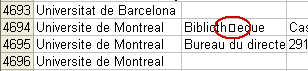
I'm sure it will be fixed soon enough, but the file itself seemed to have character encoding problems. It is in the "latin1" character set, but has unicode characters crammed into it. This caused me hours of grief over two days to diagnose and fix it into something that displayed mostly correct. If you are a MySQL user (or any SQL), this basic utf-8 SQL file should save you the time of trying to import and convert it. data_gc_ca-all_datasets.zip (830KB zip file, 11.5MB expanded)
SQL format was only an intermediary for my plans. As a test, I wanted to load this simple dataset into Solr for searching. You can try the result here:
Government of Canada Open Data Solr Search* v0.1
http://www.grahamnott.com/data_gc_ca/
This does little more than the current Open Data search so far. In order of complexity and infeasibility, the improvements could include:
- Search filtering by category, date, etc.
- It would be similar to filtering auction in Ebay, by clicking links on the left side to refine your search
- Advanced search
- You could search only the French Description field, for example
- Modifications to relevance searching (by popularity), spellchecking, etc.
- Popular datasets would appear at the top of the search results, for example
- Full text search over the entire contents of every dataset
- You can search "Silvicultural", for example, and find dataset 645C42BA-5DC3-412E-AA3C-E37995354CB8, but searching "Clearcutting" (or "coupe à blanc") would also find this dataset, if the .csv file for the dataset was keyword indexed too
Being able to filter by category or date is not possible yet, since the fields do not exist. It would be nice to have "Date Added" field to indicate when the dataset first appeared on Data.gc.ca, so that newly added datasets could be noticed easily. That would be in addition to adding "Subject Area", "Creator", and many other fields.
Other issues and questions arise working with this data, which I'll save that for another time.
If you try it out the MySQL table or Solr search, please leave comments with your feedback, questions or errors.